.png?width=159&height=32&name=careerarc-logo-h-black%20(3).png "careerarc-logo-h-black (3)")

Put your jobs on the map, literally.
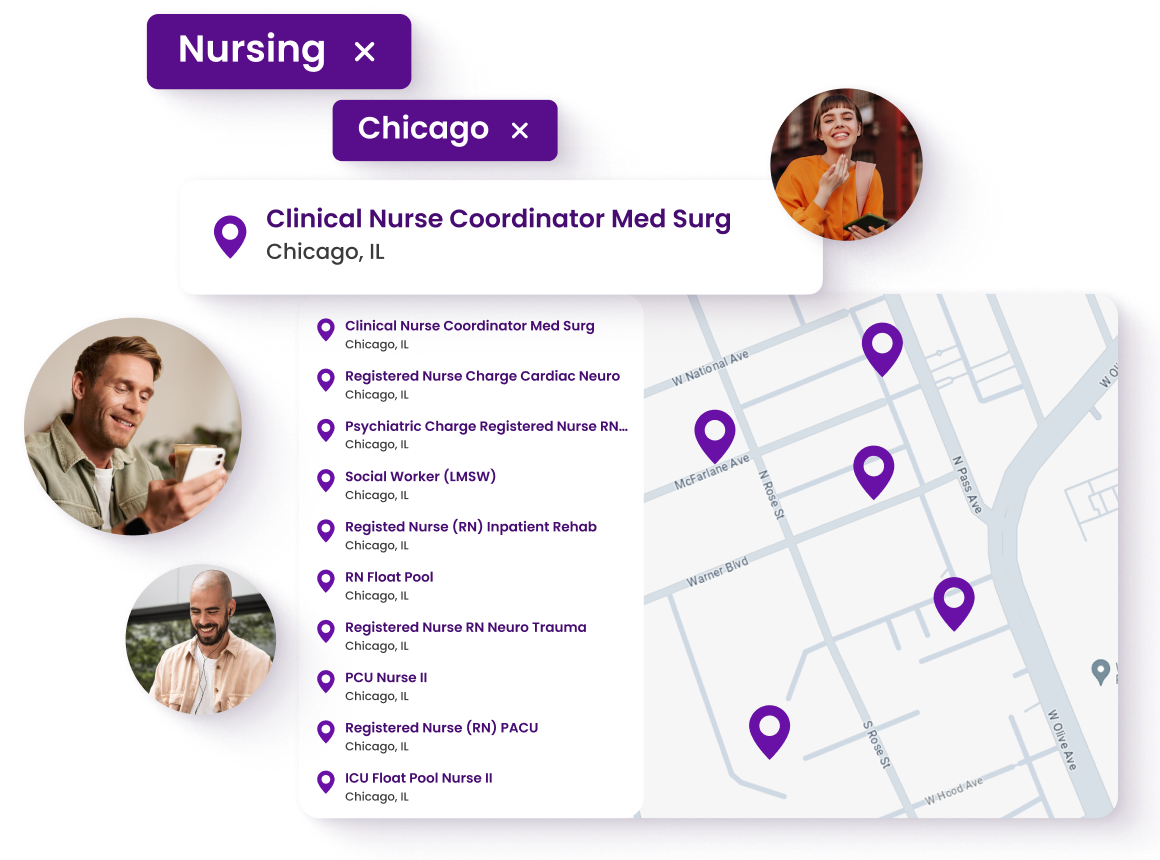
Job Maps by CareerArc transforms your career site experience by displaying all your jobs on an interactive map—making it simple for candidates to explore opportunities near them.


Job Maps by CareerArc makes exploring location-based jobs as simple as looking at a map. By giving candidates a visual, intuitive way to explore, search, and view your jobs by location, you make it easier for them to click apply.
Make your Job Map your own with custom features like brandable pins.
%20Logo%20Color-1.png?width=96&height=34&name=Symplr%20(HealthcareSource)%20Logo%20Color-1.png)









Explore a Live Job Map
See a live Job Map from Inspire Brands.

Watch the Walkthrough
See how Job Maps works in action.
“Hobby Lobby has used CareerArc’s Job Map for several years now. We couldn’t believe how easy and effective it was! It provides candidates a clear view of where our opportunities are and where they can make their next career move. In 2024, our job map has sourced over 59,000 job clicks! The layout of the map is super user-friendly and has definitely been a game changer for our recruiting.”

Ebony Robertson
Recruitment Coordinator
“As a large company, it can be a challenge to showcase our nationwide opportunities. The job map posts allow us to show future employees all our locations at once and allows them to interact with our career page. It has generated thousands of clicks for us in a very short amount of time and is another fantastic tool from CareerArc.”

Jennifer Dale
Vice President, Recruiting